


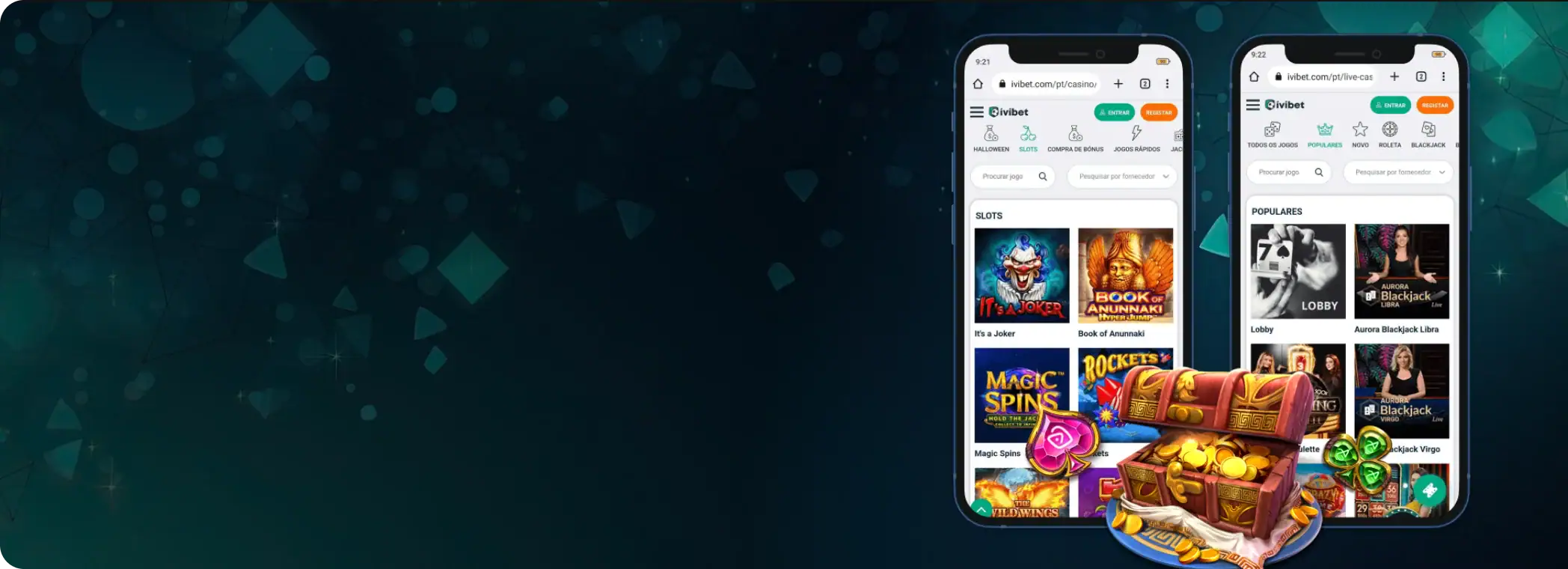
Ivibet App Sweden: Install, Features & Mobile Play
How Ivibet works on mobile in Sweden: iOS and Android setup, APK notes, key app features, device requirements, the mobile web option, FAQs, and responsible gaming.
Ivibet App: Casino & Betting on the Go in Sweden
Ivibet on mobile works like a full version of the platform, not a stripped mobile-only layout. Swedish players switch between Sports Betting, Live Betting, Casino, and Live Casino from the same navigation, so the core workflow stays the same on a phone or a desktop.
That matters in real use. You do not waste time hunting for the casino lobby, live tables, or promotions on a smaller screen. The convenience is that you run Ivibet smoothly from a mobile browser on both iOS and Android. You log in, open Casino or Live Casino, and play with no separate app account and no different interface.
For quick sessions, that browser-first setup is often faster than installing anything. You are one login away from the lobby, your balance, and the same account controls you use on desktop.

How to Download and Install
Ivibet’s mobile setup feels instant. You open the platform on your phone, log in, and you are already using the same navigation you see on desktop: Casino, Live Casino, Sports, Live Betting, and Promotions, all in familiar places.
The practical benefit is speed. There is no long install queue, no update prompts before you place a bet or open a slot, and no separate mobile-only account flow to learn. When people say install, they usually want one-tap access from the Home Screen, like a normal app icon.
That is the smoothest route here. You add the site shortcut to your phone so it launches full-screen and drops you into the lobby fast. It stays easy to maintain too. A site interface update reaches you on its own, with no new download.

iOS (iPhone/iPad)
On iOS, the cleanest setup is a Home Screen shortcut in Safari. It behaves like an app icon, which feels far more native than typing the URL every time, and it suits quick sessions, open, log in, play, with no extra friction.
One small tip makes a big difference: use Safari, not a random in-app browser. Safari’s Add to Home Screen option is the most reliable way to create that full-screen, app-style shortcut:
- Open Safari and load Ivibet.
- Log in, or register first if you have not created an account yet.
- Tap the “Share” icon, the square with an arrow.
- Choose “Add to Home Screen”.
- Rename the shortcut, for example Ivibet, and tap Add.
- Tap the new icon on your Home Screen and go to Casino / Live Casino from the top menu.
After you add it, day-to-day use stays simple. Tap the icon, sign in if needed, and you are back in the same layout of promo cards, casino tiles, and live tables, with no sense of using a website.
Android (APK Highlight)
Android gives you two smooth routes: the same Home Screen shortcut approach, the fastest and easiest, and an APK route only if the platform offers one directly through its own interface. Most players should start with the shortcut install. It is immediate, lightweight, and skips the common Android headache of unknown app source prompts.
The shortcut method keeps things clean if you play in short bursts. You do not lose time hunting for the site in your browser history, and you jump back into Casino or Live Casino in a couple of taps:
- Open Chrome, or your preferred browser, and load Ivibet.
- Log in, or complete sign-up first.
- Tap the browser menu (⋮).
- Select “Add to Home Screen”, or Install app if Chrome offers it.
- Confirm the name and add it.
- Open it from your Home Screen and use the top navigation to enter Casino / Live Casino.
APK installation, what to do and what to avoid: if you ever see an Application or download option inside the platform itself, that is where an official Android APK would normally arrive, if it is offered at all.
The safe rule is simple. Use an APK only when Ivibet provides it directly through the official interface, and never from third-party APK mirror sites. Third-party APKs are one of the easiest ways to end up with a modified app, login theft, or a broken session that support cannot troubleshoot.
If you take the APK route and Android blocks the install, that is normal. Android asks you to approve the install source. Approve it only for that one download source, install, then switch the permission back off afterwards, so your phone stays locked down.


App Features & Benefits
Ivibet on mobile is built for portability first. You move between Sports Betting, Live Betting, Casino, and Live Casino from the same top navigation, so the workflow stays consistent on a smaller screen.
That is the part that makes mobile sessions feel fast: no mobile-only menus, no hunting for sections, and no extra steps to reach the lobby or live tables. On security, mobile play runs on the same account rules as desktop. Your login is protected by your credentials, and withdrawals can trigger identity verification and other checks.
Ivibet’s Terms carry a concrete withdrawal condition that affects real cashouts. You must wager the deposit amount 3× for Casino and Live Casino, and 1× for Sports, before requesting a withdrawal:
| Feature area | What you get on mobile | Why it’s a real benefit |
|---|---|---|
| Portability | Full access to the main sections (sports, live, casino, live casino) in one navigation flow | Easier switching without losing your place mid-session |
| Mobile optimisation | A touch-friendly experience built for play on the go | Less friction for browsing games, promos, and live tables |
| Support access | 24/7 customer support, with language support highlighted on the casino page | Faster fixes from a phone when something blocks play or cashouts |
| Account security & compliance | Identity verification expectations plus a clear withdrawal wagering condition (3× casino, 1× sports) | Fewer surprises when you move from deposit to withdrawal |
The exclusive part of the mobile experience is mostly convenience, not hidden features. You jump into Live Casino quickly, check promos without leaving your session flow, and get support without switching devices, exactly the stuff that matters when you play in short bursts.
Another small but important benefit is consistency across devices. Start browsing promos or games on desktop, and you pick up the same session on mobile with no new controls and no rebuilt routine. For most players, that same-layout-everywhere feel is what keeps the platform easy to use day after day.

App Requirements & Compatible Devices
Ivibet is built to run cleanly on the devices most people in Sweden use every day: iPhones, iPads, and modern Android phones and tablets. You do not need a special gaming phone to get started.
What matters more is a current operating system and an up-to-date browser, so pages load correctly, sessions stay logged in, and the cashier and live sections do not glitch mid-use. The mobile experience runs in a browser-first setup, so compatibility is mostly about avoiding outdated software.
Older OS versions tend to cause the same annoying issues across betting platforms: login loops, pages not saving preferences, and live content failing to load. So the minimum requirements below are really about keeping the experience stable, especially if you use Live Casino or switch between sections quickly:
| Device / OS | Supported devices | Practical minimum OS (recommended) | What you need to be enabled |
|---|---|---|---|
| iOS (iPhone / iPad) | iPhone and iPad | iOS 13+ | Safari or Chrome updated, cookies enabled for login and session stability |
| Android (phone/tablet) | Android smartphones and tablets | Android 8.0+ | Chrome or Firefox updated, downloads allowed only if you use an official APK route |
For the smoothest performance, the best real-world upgrade is not extra storage. It is keeping your browser updated and using a stable 4G, 5G, or Wi-Fi connection, so casino pages load fast and live games do not buffer.
If you use Live Casino often, close heavy background apps before you start. Live streams and fast-refresh pages are the first things to stutter when your phone is overloaded, so a quick clean start makes the session noticeably smoother.
Mobile Web Version

The mobile web version is the cleanest option if you want to play with no install. You open Ivibet in your phone browser, log in, and you use the same core layout and navigation you see on desktop: Casino, Live Casino, Sports Betting, Live Betting, and Promotions, scaled for a smaller screen.
That consistency is the main advantage. You do not relearn where anything lives when you switch devices. For many players in Sweden, mobile web is the more practical, low-maintenance choice.
There are no app updates to chase and no storage worries, and you can still set up one-tap access by adding the site to your Home Screen so it launches like an app icon. If you mainly play short sessions, quick spins, a few live rounds, or a fast look at promos, the browser route often feels faster. It is basically open, log in, play.
Join NowFAQ
Do I need to install an app to play on mobile?
What if the site doesn’t load properly, or I keep getting logged out?
How do updates work on the mobile web version?
I can’t see my bonus or promo on mobile, what should I check?
What’s the simplest troubleshooting checklist for device issues?

Responsible Gaming
Mobile play is convenient, and that convenience can make sessions drift, especially when promos and quick deposits are only a few taps away. The safest approach for players in Sweden is to treat every session as a planned activity, not a see-what-happens scroll:


- Set a tight budget first and do not top up after you hit it.
- Use a session timer so you do not lose track of time in fast games.
- Keep casino and sports sessions separate to track spend properly.
- Avoid chasing losses. Promos should add value, not push you into bigger stakes.
- Use self-exclusion or stronger limits if play stops feeling like entertainment.
If you ever feel the session is running you, and not the other way around, pause and use the strongest tool available. Taking a clean break is always cheaper than trying to win it back.

